Domain Filtering: Control Sources in the Seltz API
include_domains and exclude_domains let you allowlist or blocklist sources on the Seltz search API. For engineers building agents that reason over news.
Product
Jun 3, 2026

Max V
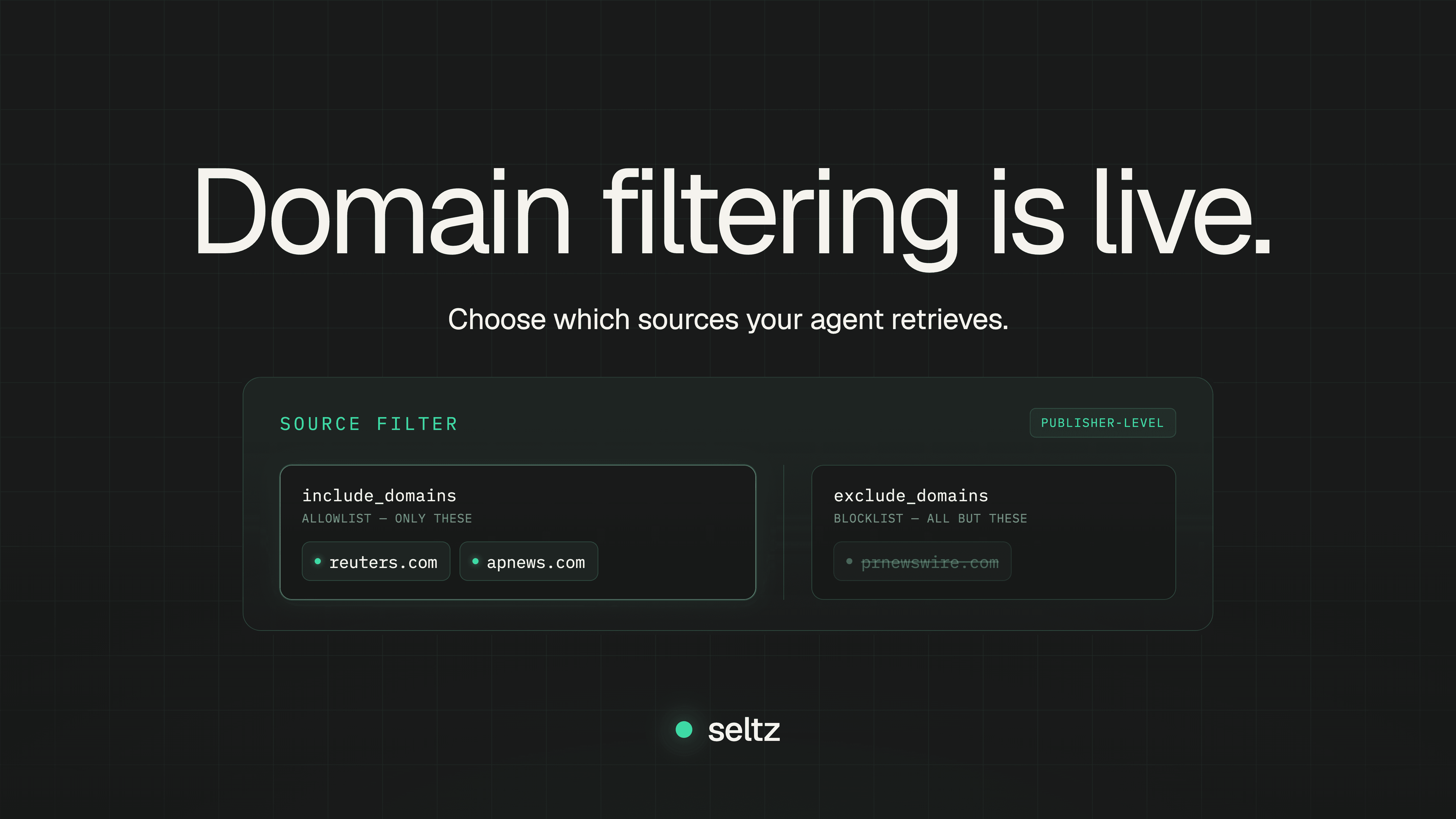
Domain filtering is live: control which sources your agent reads
When you're building an AI agent that reasons over the news, the sources it reads decide whether you're reasoning over signal or noise. A claim from a primary outlet and the same claim from a press-release aggregator are not equivalent, even when the words match.
A customer building real-time AI workflows on top of Seltz wanted to restrict results to a defined set of publishers they trusted, and to keep everything else out. The query was right and the documents were good, but they needed the source of every result to be one they'd already vetted.
We shipped domain filtering.
How it works
Two new optional parameters on the search endpoint: include_domains and exclude_domains. Both take an array of domains. Pass either, both, or neither.
include_domains is an allowlist: results come back only from the domains you name. exclude_domains is a blocklist: every source is fair game except the ones you name.
curl -X POST https://api.seltz.ai/v1/search \
  -H "x-api-key: $SELTZ_API_KEY" \
  -H "Content-Type: application/json" \
  -d '{
    "query": "Anthropic SpaceX compute deal",
    "max_results": 10,
    "include_domains": ["reuters.com", "apnews.com"]
  }'
curl -X POST https://api.seltz.ai/v1/search \
  -H "x-api-key: $SELTZ_API_KEY" \
  -H "Content-Type: application/json" \
  -d '{
    "query": "Anthropic SpaceX compute deal",
    "max_results": 10,
    "exclude_domains": ["prnewswire.com"]
  }'
The response returns the matching documents, with url on every result regardless of whether you're filtering:
{
  "documents": [
    {
      "url": "https://www.reuters.com/technology/article",
      "content": "..."
    }
  ]
}
Even without filtering, you can use those URLs to make source decisions downstream: route by publisher, weight sources differently, or dedupe across outlets covering the same story.
Domains, not URLs
The filter operates on the publisher rather than the path: you choose which sources your agent reads, not which individual articles. You can allow or block a publication, but not a single section within one. The model stays simple: a domain is either in or out.
Both filters match at the domain level, including subdomains: naming reuters.com covers www.reuters.com and any subdomain under it, whether you're including or excluding, so you don't have to list every host a publisher serves from.
Try it in the playground
The Search Playground in your console now has Include Domains and Exclude Domains fields. Drop in a query, name the sources to include or exclude, and run it. Testing requires no code.
What's next
Domain filtering is the second filter to ship, after date filtering for the News API.
If there's a filter you want, tell us. Try domain filtering in the playground
Domain filtering is live: control which sources your agent reads
When you're building an AI agent that reasons over the news, the sources it reads decide whether you're reasoning over signal or noise. A claim from a primary outlet and the same claim from a press-release aggregator are not equivalent, even when the words match.
A customer building real-time AI workflows on top of Seltz wanted to restrict results to a defined set of publishers they trusted, and to keep everything else out. The query was right and the documents were good, but they needed the source of every result to be one they'd already vetted.
We shipped domain filtering.
How it works
Two new optional parameters on the search endpoint: include_domains and exclude_domains. Both take an array of domains. Pass either, both, or neither.
include_domains is an allowlist: results come back only from the domains you name. exclude_domains is a blocklist: every source is fair game except the ones you name.
curl -X POST https://api.seltz.ai/v1/search \
  -H "x-api-key: $SELTZ_API_KEY" \
  -H "Content-Type: application/json" \
  -d '{
    "query": "Anthropic SpaceX compute deal",
    "max_results": 10,
    "include_domains": ["reuters.com", "apnews.com"]
  }'
curl -X POST https://api.seltz.ai/v1/search \
  -H "x-api-key: $SELTZ_API_KEY" \
  -H "Content-Type: application/json" \
  -d '{
    "query": "Anthropic SpaceX compute deal",
    "max_results": 10,
    "exclude_domains": ["prnewswire.com"]
  }'
The response returns the matching documents, with url on every result regardless of whether you're filtering:
{
  "documents": [
    {
      "url": "https://www.reuters.com/technology/article",
      "content": "..."
    }
  ]
}
Even without filtering, you can use those URLs to make source decisions downstream: route by publisher, weight sources differently, or dedupe across outlets covering the same story.
Domains, not URLs
The filter operates on the publisher rather than the path: you choose which sources your agent reads, not which individual articles. You can allow or block a publication, but not a single section within one. The model stays simple: a domain is either in or out.
Both filters match at the domain level, including subdomains: naming reuters.com covers www.reuters.com and any subdomain under it, whether you're including or excluding, so you don't have to list every host a publisher serves from.
Try it in the playground
The Search Playground in your console now has Include Domains and Exclude Domains fields. Drop in a query, name the sources to include or exclude, and run it. Testing requires no code.
What's next
Domain filtering is the second filter to ship, after date filtering for the News API.
If there's a filter you want, tell us. Try domain filtering in the playground
Domain filtering is live: control which sources your agent reads
When you're building an AI agent that reasons over the news, the sources it reads decide whether you're reasoning over signal or noise. A claim from a primary outlet and the same claim from a press-release aggregator are not equivalent, even when the words match.
A customer building real-time AI workflows on top of Seltz wanted to restrict results to a defined set of publishers they trusted, and to keep everything else out. The query was right and the documents were good, but they needed the source of every result to be one they'd already vetted.
We shipped domain filtering.
How it works
Two new optional parameters on the search endpoint: include_domains and exclude_domains. Both take an array of domains. Pass either, both, or neither.
include_domains is an allowlist: results come back only from the domains you name. exclude_domains is a blocklist: every source is fair game except the ones you name.
curl -X POST https://api.seltz.ai/v1/search \
  -H "x-api-key: $SELTZ_API_KEY" \
  -H "Content-Type: application/json" \
  -d '{
    "query": "Anthropic SpaceX compute deal",
    "max_results": 10,
    "include_domains": ["reuters.com", "apnews.com"]
  }'
curl -X POST https://api.seltz.ai/v1/search \
  -H "x-api-key: $SELTZ_API_KEY" \
  -H "Content-Type: application/json" \
  -d '{
    "query": "Anthropic SpaceX compute deal",
    "max_results": 10,
    "exclude_domains": ["prnewswire.com"]
  }'
The response returns the matching documents, with url on every result regardless of whether you're filtering:
{
  "documents": [
    {
      "url": "https://www.reuters.com/technology/article",
      "content": "..."
    }
  ]
}
Even without filtering, you can use those URLs to make source decisions downstream: route by publisher, weight sources differently, or dedupe across outlets covering the same story.
Domains, not URLs
The filter operates on the publisher rather than the path: you choose which sources your agent reads, not which individual articles. You can allow or block a publication, but not a single section within one. The model stays simple: a domain is either in or out.
Both filters match at the domain level, including subdomains: naming reuters.com covers www.reuters.com and any subdomain under it, whether you're including or excluding, so you don't have to list every host a publisher serves from.
Try it in the playground
The Search Playground in your console now has Include Domains and Exclude Domains fields. Drop in a query, name the sources to include or exclude, and run it. Testing requires no code.
What's next
Domain filtering is the second filter to ship, after date filtering for the News API.
If there's a filter you want, tell us. Try domain filtering in the playground
Related Articles

What is grounding an agent, and how do web search tools fit in?
Learn about grounding, web search tools for agents, RAG, and how they connect

AI Agent Search: Owned Index vs. SERP API (Sept 2026)
SERP API or owned index? Compare search architectures for AI agent pipelines on cost and latency in September 2026.
Try the API today.
Grab an API key and get 20,000 search credits to start.